Texts are FREE for you! Please make sure texting is enabled on your HBG Casting profile.
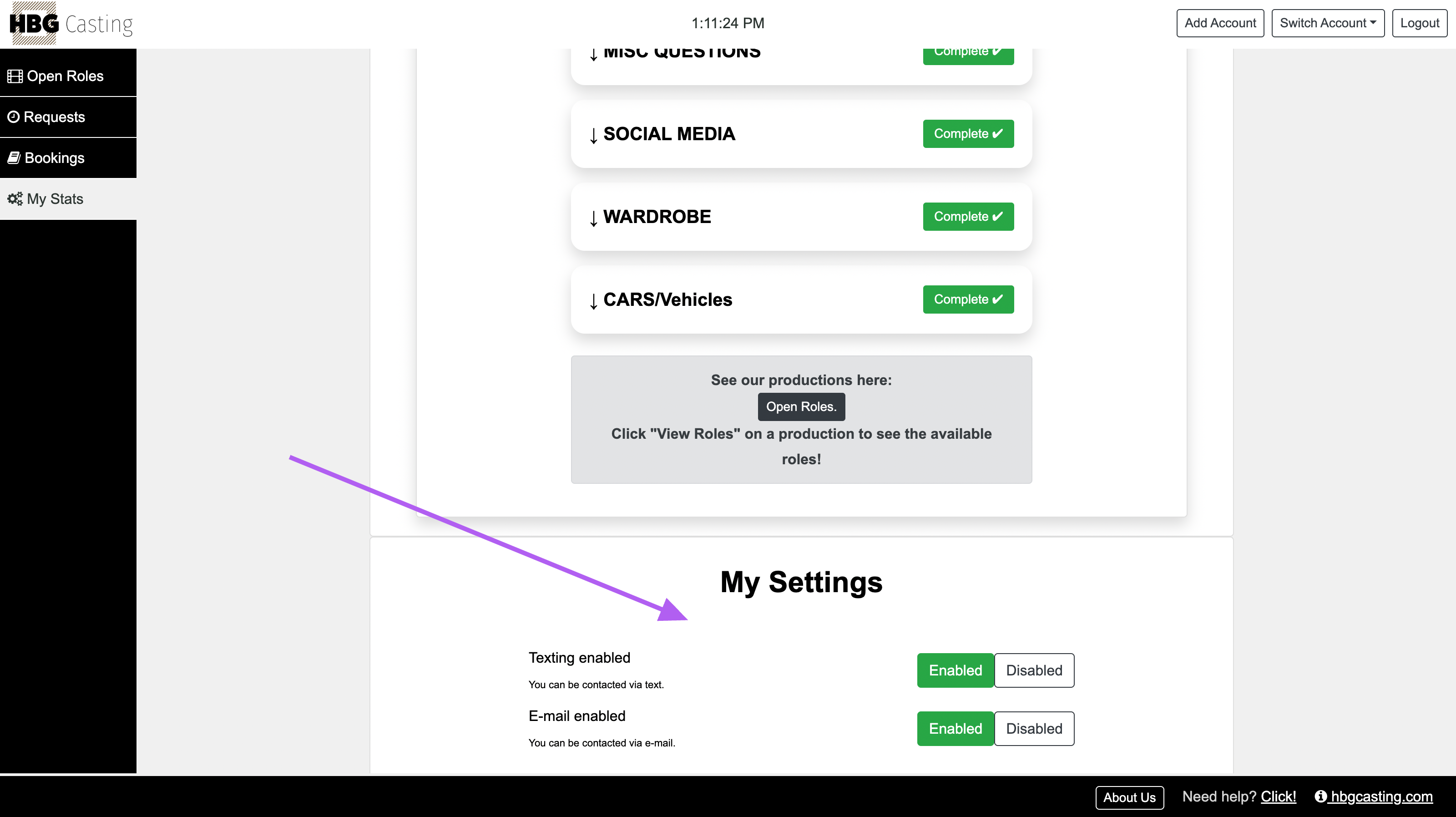
Go to My Stats.
Scroll to the bottom to My Settings.
Under Texting enabled, select Enabled. It should appear green.
If texting is disabled, you will NOT receive availability checks, official booking texts, or booking details texts.
While you’re there, please also make sure E-mail enabled is set to Enabled so you can receive email communications.
Was this article helpful?
That’s Great!
Thank you for your feedback
Sorry! We couldn't be helpful
Thank you for your feedback
Feedback sent
We appreciate your effort and will try to fix the article